

Beacon

Free · MIT licence

Beacon puts a report button in your app

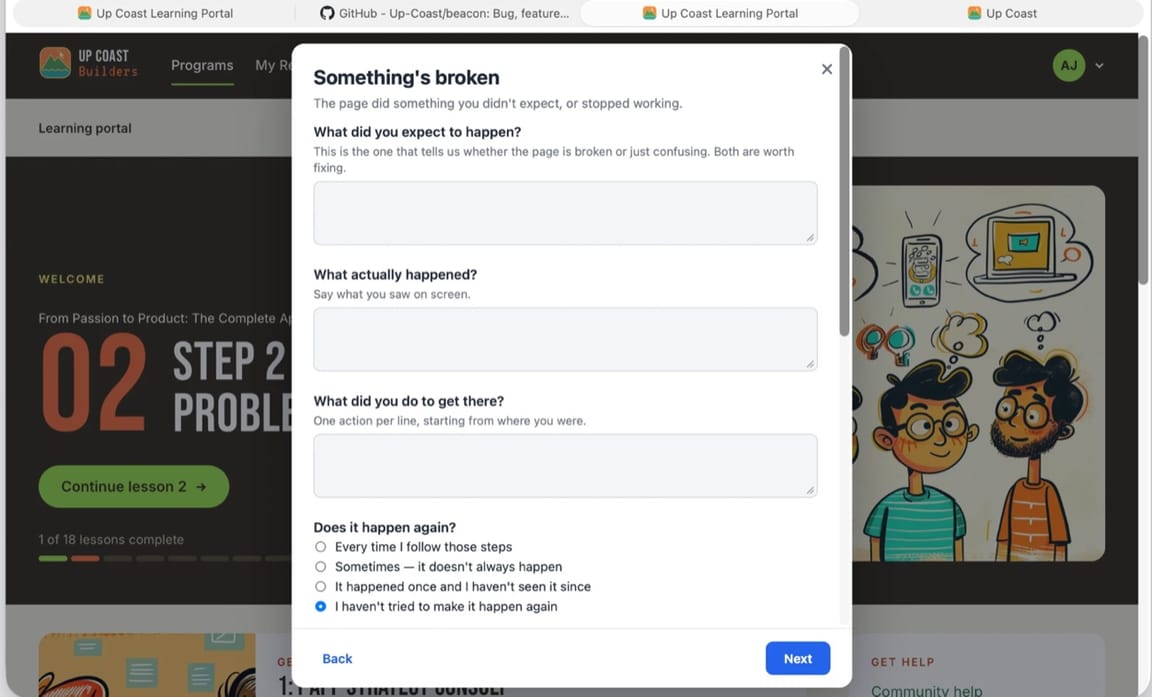
Beacon is a Swift package for Mac and iPhone apps on macOS 26 and iOS 26. Your tester presses a button in your app and answers three questions, and you get a GitHub issue with the build, the device and the app's log attached. A Claude session can then work each report: it reproduces the bug, fixes small ones and explains the rest.

The Beacon sheet open over an app, asking what the tester expected, what happened and what they did

The beta-test problem

A tester's email says "it crashed". A Beacon report says which build, which device, and what they pressed.

Beacon asks the tester the three questions inside your app, at the moment it happened, and attaches the build, the device, the settings and the last 400 lines of the log for them.

What a report arrives with

  • App version, build and commit
  • OS version, device, processor
  • Light or dark, text size, language
  • The app's settings
  • The last 400 lines of the log
  • Screenshots and screen recordings
  • A sweep that masks passwords and keys first
  • What they expected, what happened, the steps, does it happen again

A bug cannot be sent without what they expected and what happened. The other three kinds (a feature request, a change request, feedback) ask for less.

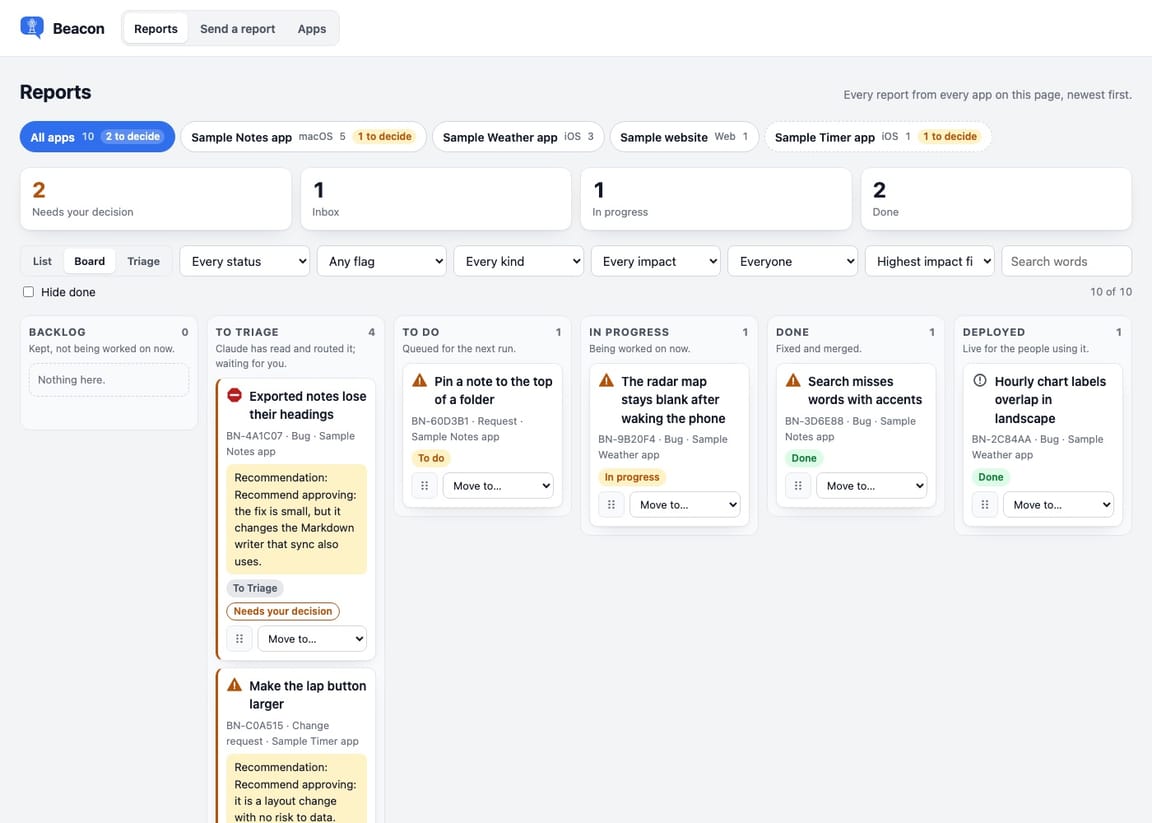
The Beacon board: reports in columns, from new to triaged to done

After it arrives

Every report becomes a GitHub issue. A Claude session works the queue.

It tries to reproduce the bug three times, checks what your app is supposed to do before calling anything broken, fixes only what touches three files or fewer, and writes what it did on a board you read. Feature requests wait for you.

Three setups, none tied to my accounts: Claude alone, Claude with GitHub, or a relay so your testers never need a GitHub account.

  1. 1. Add the package

    One line in Package.swift, or File › Add Package Dependency in Xcode.

  2. 2. Configure it at launch

    Your app's name and version, who reads reports, and who is signed in. Everything else is optional.

  3. 3. Put the button in

    The Help menu on a Mac, a settings screen on iPhone. Or, in Claude Code, install the plugin and ask Claude to set up Beacon in your app.

Abbey Jackson

These steps to reproduce can be really, really hard to get from people. They'll say things like, well, I logged in. No, I need to know what you did.

Abbey Jackson, about me

Link to github.com

Beacon

Swift package for macOS 26 and iOS 26 · MIT licence

Get Beacon and join my list

I add you to my email list. I write when I release a new free tool, when I need beta testers, and when I have something for sale. Every email has an unsubscribe link.

Get Beacon without joining

You give me no name and no email, and I can't see who you are. GitHub opens in a new tab. You can join the list later from the footer of any page.

Open Beacon on GitHub →

Install

In Claude Code, run /plugin marketplace add Up-Coast/beacon, then /plugin install beacon@up-coast, then ask Claude to set up Beacon in your app. To add the Swift package yourself, follow the documentation.

Licence

MIT. You can use it, change it and include it in apps you sell.